Exercise 2
WWW
First there is a link from where you can find english material:
http://www.mit.jyu.fi/opetus/appro/english/
World Wide Web (WWW) is most used Internet service along with e-mail
at the moment.
- Start Netscape-browser.
- Choose Edit|Preferences.
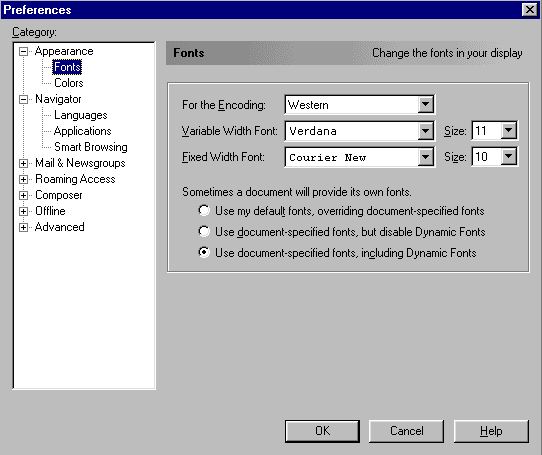
Look into what settings you can change. Change default font and colors of Netscape to your liking.
Close Preferences-window.
- Write home page address of Jyväskylä´s University:
http://www.jyu.fi/
to Location-entry area of Netscape. And press enter-button.

Netscape finds and opens University´s home page. By clicking link-word with mouse you can move
on pages. Back to the previous page you can go with Back-button. Look into
what you can find behind the links of start page. Try to find the home page of your
own department. Students of Open University can find home page of open University.
- Go to address http://www.mit.jyu.fi/opetus/appro/.
There you can find information about courses of information technology approbatur
which are arranged in this season. If you like you can look into what those
courses include. Go to material page of Preliminary Course in Information Technology
at the end. There is a collection of many useful links connected to this course.
It is also worth to read them sometimes later.
- Open Wordpad along with Netscape. Write words by using ASCII-table and
Alt-button. Press Alt-button to bottom and
key in symbol´s ASCII-code from numerical keyboard (on the right edge of the
keyboard). That way you can get the mark corresponding to point showed by cursor. The mark
will emerge after releasing Alt-button. Check that numerical
keyboard locking is on (NumLock). You can see if lock is on from the lights on the keyboard´s right top
corner. Description about ASCII-codes of most common marks can be found from
address <URL:
http://www.asciitable.com/>. Look mark´s code from Dec-
column (decimal number system) and try to produce the mark by using
Alt-button and numerical keyboard.
Information retrieval
- Go to address http://www.mit.jyu.fi/opetus/appro/haku/. Use
search engines and try to find information about some hobby of
yours. Write search word included your hobby into entry area of search engine.
And press enter-button. For examble you can test ...
http://www.google.com/>
- Choose File|New|Navigator Window and open new browser window.
Go to the same retrieval page as you were in previous point. Test your search
word with some other search engine. Compare results between engines.
- Try to find information about same topic with both languages, english and your
own. For examble use engines Google and Altavista.
Both are found on the top of the page.
- When you browse search results you can open interesting links into
their own window. That way you won´t lose page of retrieval results in sight.
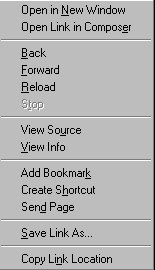
Link can be opened when you press mouse´s right button above it. Choose topmost
alternative Open in New Window from emerged menu.
- When you find very interesting and good page you can save it´s address to
the bookmarks by pressing Bookmarks-button. When you are at the
interesting page press Bookmarks-button and choose alternative
Add Bookmark from emerged menu. You can check and arrange your
bookmarks with choose Edit Bookmarks.
- Try what information is found if your retrieval word is your own name.
- Try to find more accurate information about following things:
- Netscape´s use-guide
- Studying of Information Technology
- Ergonomicks
- Olympic Games
- Open University
- Which search engine had best search results? Ask more accurate search tips from
your exercise-tutor.
Kuukkeli
Kuukkeli is www-based system for booking tutor appointments for different courses.
- Go to address <URL: http://www.mit.jyu.fi/kuukkeli/>.
- Pick Preliminary Course in Information Technology from list and after that
go to point `choosing tutor`.
- Pick Oiva Ohjaaja and go to system of appointment.
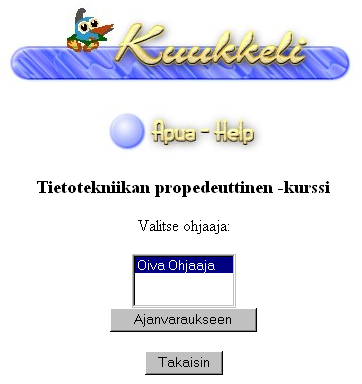
- Test how the system of appointment works. Pick some free time and reserve it for you.
- Go again to front page of Kuukkeli.
Cancel the time that you earlier reserved. Choose right course, tutor and reserved time.
News groups
News groups include numerous groups where you can discuss all kinds of matters. It
looks a little like e-mail.
- Choose Communicator|Newsgroups.
- Click point News with mouse´s right button. Choose from emerged menu
topmost alternative Subscribe to Newsgroups. Wait that
browser can make a connect to News-server.
- Find sfnet-hierarchy from list and open it. Pick few groups ordered with
Subscribe-button and press ok after that.
Window will close and you go back to previous window.
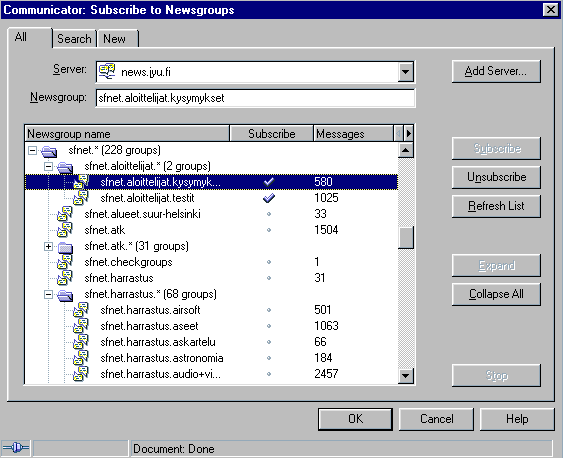
- Pick some ordered News-group with mouse´s left button. If browser asks
something about downloading headers (finn. otsikko) choose Ok.
- There will emerge a list of messages and message chains included to group at
the top of screen. Pick some message and you`ll see it´s content in lower
screen.
- Get to know of discussion at the group.
Omien viestien lähettäminen ja yleinen käyttäytyminen nyyseissä käsitellään tarkemmin tietoverkot työvälineenä -kurssilla.
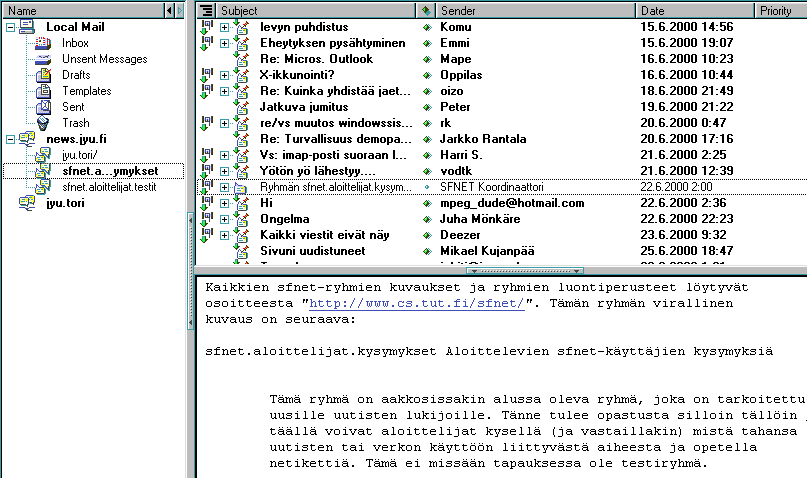
- When you get bored with News close the window that you have used for reading.
Kurki-system
You can find both departement´s (mathematics and information technology) course-bookkeeping system
Kurki from address http://kurki.mit.jyu.fi/eng/.
You can enrol almost on all courses, teaching groups and exams with Kurki-system.
- Go to address http://kurki.mit.jyu.fi/eng/ and
choose a link to student´s user interface. Then choose private connection.
- When you open private connection at the first time to Kurki the browser will ask is it
possible to accept Kurki-certificate. Answer in the affirmative for browser´s
questions. You can use private connection by accepting the certificate.
- Write your e-mail address given by ADP-centrum (or any other e-maill address)
and use for examble one of the following forms when you log in at first time.
Write e-mail address to User identification-field.
- tunnus@st.jyu.fi (servers itu, verso, silmu, ...)
- tunnus@cc.jyu.fi (servers kanto, tukki, ...)
- tunnus@math.jyu.fi (matematiikan laitoksen tunnus)
- tunnus@mit.jyu.fi (tietotekniikan laitoksen tunnus)
- an so on.
It is not recommend to add server´s name to your e-mail address. So don´t
use following form: user name@itu.st.jyu.fi even it works. Micromesh´s label
is not an e-mail address (label.v9x)!
Leave the password-field empty.
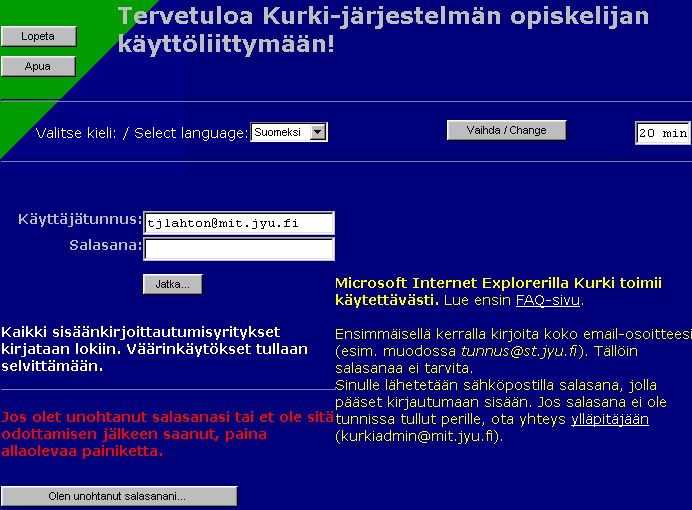
- Now your password will be sent to you by e-mail and with that you can log in.
Go and read your mail. You can read your e-mail with Webmail in address
<URL: http://www.jyu.fi/webmail/>
if you use your university address. Log in Kurki again with your mail address and
password reached mail.
- Correct your personal data in main menu with pressing
Changing personal data -button. You can also change your
password so that you can remember it better with this form. If you don´t get
your password by on hour or it doesn´t work, connect administrator
(kurkiadmin@mit.jyu.fi).
- Enrol on Preliminary course in Information Technology with Kurki-system.
- Rehearse registering to teaching groups with register to Preliminary course´s
teaching group by Kurki-system.
- Enrol on proof exam of Preliminary course with Kurki-system. Exam times
are found among teaching groups.
- Enrol on courses that you want with Kurki-system if you are to read more ADP at spring.
Don´t panic if you not find all courses on Kurki-system. Check assortment again
a little later.
Real time discussion
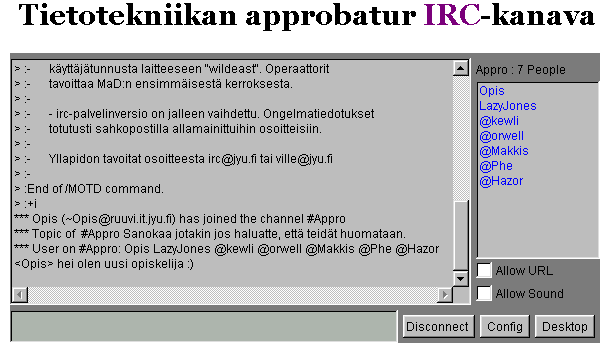
There will be course´s own real time discussion place. There you can
ask/discuss things included to course. Teachers and tutors will be there if
they aren´t busy. Simpliest way to get involved to discussion is go to address
<URL: http://www.mit.jyu.fi/opetus/appro/chat.html>.
Go and discuss with other students of course.
And if you have time...
Check what can be found from following addresses if you have time left